In previous part I did covered the “context” thing which I stated normal stuff very surface level which might be good for noobs who are just starting with AI in general but in this post I will cover some advance in general its very very easy but might not be easy for the noobs as usual with that lets begin
note This post is for all students / researchers who underestimate AI and think AI is just for basic use
reality you are very wrong and this blog will itself prove it.
imp This is the second part of the AI context series this doesn’t cover how to build archives for your AI
where as this blog covers about why it’s important for you to have the personal archive for your AI.
So this post is all about getting your AI familiar with the huge library
you might be asking why ? coz AI is already trained on 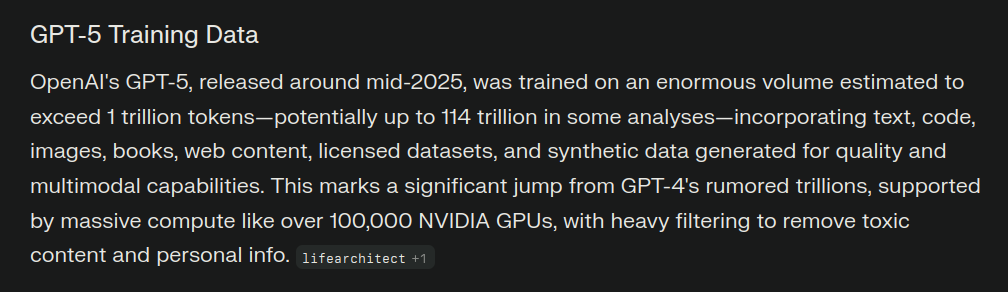 114 trillion tokens or much more so why we need to give a huge library to train our AI
So this is not about training your own model this is about so if you use any IDE like ( Cursor, Antigravity etc) you can create a library for your own ide / if you use codex its more advance for digging deep into but only if you have enough money for api credits
but for now I am focusing on free stuff because I do it for free as much as possible
#question why you need this library ? - for example you are a researcher or a self research who really like to dig deep and short on timings / hate explaining to AI everything form start this library will help you in a very good way .
and how this library thing apply for every student / researcher? - this depends on you so if you are a CS / ME / EE student the archive might be small or big according to your use case
114 trillion tokens or much more so why we need to give a huge library to train our AI
So this is not about training your own model this is about so if you use any IDE like ( Cursor, Antigravity etc) you can create a library for your own ide / if you use codex its more advance for digging deep into but only if you have enough money for api credits
but for now I am focusing on free stuff because I do it for free as much as possible
#question why you need this library ? - for example you are a researcher or a self research who really like to dig deep and short on timings / hate explaining to AI everything form start this library will help you in a very good way .
and how this library thing apply for every student / researcher? - this depends on you so if you are a CS / ME / EE student the archive might be small or big according to your use case
so what makes this archive great ? and how to make this archive ?
what makes this archive great ? - so lets say you are into a project and you never even talked once with your ai ( chatgpt etc) about this project your making and now you suddenly hit a wall and you googled it you probably told your problem to your favourite AI but its all giving you nonsense why ? yep because it doesn’t have any context not even 1% about what the hell your are telling your AI.
So this is where the big archive comes in and play the very huge roll so this big archives can contains so much data in their .md files and as soon as you give your ai this huge archive and train your favourite IDE agents on these huge data you never have to worry about hitting the walls why ? because you got this huge archive with you and your agent is trained on that so as soon as you ask as very deep technical question your AI will not hallucinate it will just grep the keywords and give you the best answer possible and its always not about the best answer your AI will warn you about the mistakes that you should not do and this can save bunch of your time and you should focus the things that matter.
Rather than making silly mistakes which you should avoid it in the first place only.
question what types of files you need to train your agents onn ?
Again it depends on your major / field you are pursuing
and the amount of data you wanted give to your AI
and let me clear this myth from your head that its not always Quantity > Quality if you are not a very big org
or a company its always Quality > Quantity for you
again you might ask why ?
there is a one simple plain answer to it the Quantity > Quality only works for big company because they got a good engineer / great pipelines which you don’t have
and most important thing is the bigger the archive the more time it takes for you to train + get your correct answers so its better to have the Quality > Quantity
this just because you will have the best answers with the matter of minutes ( again depends on how your big your archive is )
question what type of data you should provide ?
Again it come down your major / field you are in
most of the time the .md files are best for your AI to train on because less heavy / pure text based but again if your field is different which consumes lot of images / diagrams the images are another way to go since I dont use images in my archives so I cant tell how AI behaves much I can tell that if you got images + text its very great for your upcoming answers
question how to create this actual library ? and what sources to put in them ?
Again it come down your major / field you are in for example CS
agent_reads/
├── annas_archive_blog_archive/
├── backend_engineering/
├── blog_archive/
├── code_archeology/
├── dependency_discovery/
├── documentation/
├── engineering_blogs/
├── github_issues/
├── github_patches/
├── industry_paradoxes/
├── reddit_community/
├── security_advisories/
├── stack_exchange/
└── technical_specs/
so this is my archive this are just main directories inside them there are 100’s of sub directories
#tip while you are training your AI you should prompt your AI after reading the big .md files it should write the important things as in .md type of file or txt inside the folder which I created as a Agent reads so you and your AI will have the good amount of context what your AI is gone through from your archive so you don’t retrain and all and get quick notes / context from your agent reads
directory.
another example of how your BYOD ( bring your own data) structure should look like
📁 research-brain/
├─ user_data/
│  ├─ docs/
│  │  ├─ {{category1}}/
│  │  ├─ {{category2}}/
│  │  └─ {{category3}}/
│  ├─ logs/
│  ├─ metadata/
│  └─ embeddings/
├─ config/
└─ scripts/
this type of BYOD will give you and your AI a clean state to work / train on.
personaltake why even I started this AI archive and training thing?
So if you have read my previous blog you must know how much I am dependent on the context for AI itself and I always wanna knock off above my weight so I always research how to push these models way beyond so yeah and yeah this article article hyped me up to start this.
Thank you for reading ~Spacecadet